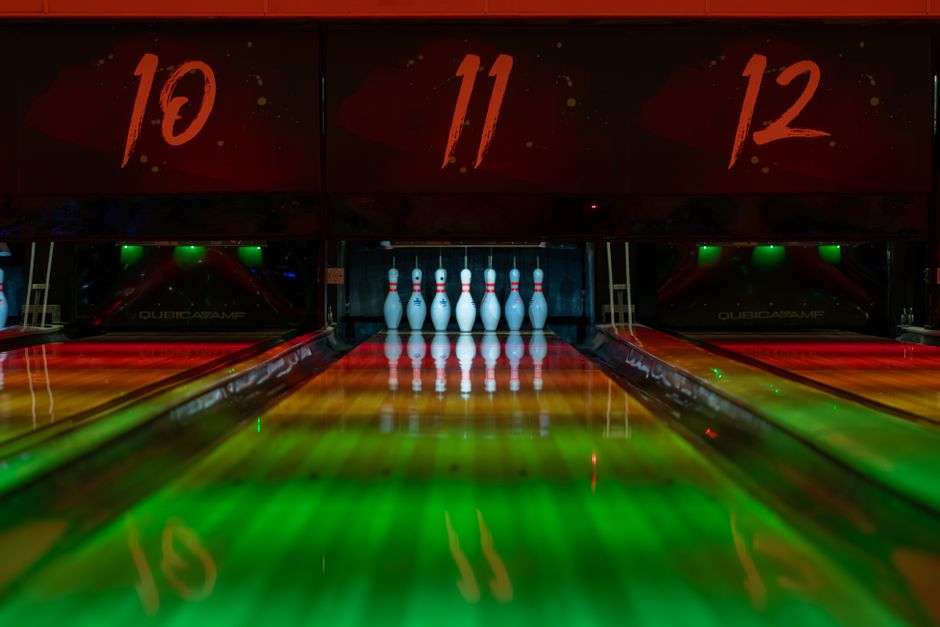
Maximize Productivity With Our Reservation Plugin for Bowling Centers
If you oversee a bowling alley, you understand that coordinating lane accessibility, league matches, and walk-in reservations can become a logistical challenge. Relying on physical logs or disconnected software often results in conflicting bookings and frustration for both your personnel and your visitors. Integrating a reservation platform directly into your WordPress site transforms how you oversee your facility.
Booking Interface & Visual Layouts
Six Contemporary UI Designs
Ideal for stylish layout selection
Selecting the appropriate aesthetic for your lanes is essential, as it dictates how guests engage with your website. You have access to six unique formats, varying from progression wizards that assist users through every step, to slider-driven calendar views that look excellent on handheld devices. You will discover that these templates prioritize keeping the visitor on your page until the appointment is finalized.
If you favor a particular flow, you can pick from these variations:
-
- Three-Column Layout for compact data presentation.
- Two-Column Layout for a balanced aesthetic.
- Sidebar Progress Wizard for guided user navigation.
- Top Progress Wizard for a streamlined downward flow.
- Slider Calendar Layout for mobile-optimized date picking.
- One-on-One Meetings Layout for tailored assistance.
It feels intuitive since the stylistic choices are embedded into the framework, meaning you won't have to battle with incompatible third-party themes. Moreover, this approach successfully minimizes obstacles during the payment process.
Calendar and Service Displays
Ideal for varied booking workflows
Occasionally, you want your clients to view an entire month at once, whereas other times you may prefer them to select a specific staff member or service category first. Bookingor offers diverse calendar visualizations, including a traditional grid and a horizontal slider. These provide a transparent view of when lanes or services remain available.
You can organize your reservation portal in several ways:
-
- Category View to separate leagues from recreational practice.
- Staff View to allow users to select a preferred instructor.
- Services View to display all offered packages at once.
- Multiple Calendar UI Designs for adaptable date selection.
These perspectives are fully configurable via the Live Editor, enabling you to modify the look until it aligns perfectly with your brand identity. It is an effortless method to ensure your guests feel at ease before they confirm their visit.
Bookingor includes many additional capabilities. Peruse the full features list for exhaustive details.
Scheduling & Capacity Management
Sophisticated Scheduling Controls
Ideal for intricate lane coordination
Running a bowling alley demands precise rules regarding when lanes can be occupied. You must account for buffer intervals for maintenance or sanitization, and you must establish breaks so your team maintains their schedule. With Bookingor, you specify exactly when services are open and when they are unavailable.
These utilities assist you in maintaining oversight:
-
- Buffer Time Settings for cleaning between reservations.
- Break Times to block bookings during staff down-time.
- Service Hours Availability for custom shift assignments.
- Location Working Hours for site-specific schedules.
Configuring these is logical because you control them within the same dashboard used for other bookings. You can even establish recurring appointments for league nights, guaranteeing those slots are reserved automatically week after week without any manual input.
Payments & Pricing
Versatile Checkout and Tax Options
Ideal for secure lane transactions
When you unify your payments, you desire a seamless transition from selection to verified transaction. You can connect WooCommerce to support over 100 distinct payment processors, or utilize dedicated Stripe and PayPal extensions. You can also enforce deposit requirements to verify that your guests are committed to their reservation, which helps significantly with reducing no-shows.
Consider these monetary strategies:
-
- WooCommerce Integration for extensive payment alternatives.
- Deposit and Partial Payments to guarantee bookings.
- Service Tax Settings for automated computation.
- Tiered or Level Pricing for various service bundles.
You can also deploy coupons and promotions to conduct sales for your bowling center, such as discounted pricing during non-busy periods. Everything is managed dynamically, so you do not need to manually adjust fees when a user selects a different service duration.
Staff & Location Administration
Multi-Branch Coordination
Ideal for overseeing various sites
If you operate multiple bowling facilities, tracking employees and lanes across different venues is overwhelming without proper tools. You can configure various branches, allocate specific staff to each, and even use Google Maps integration to assist customers in finding the center nearest to them. This maintains everything consolidated in a single central hub.
Essential utilities for your management team include:
-
- Manage Locations to handle various branches.
- Staff Dashboard for supervising schedules and meetings.
- Google Maps Integration to highlight location proximity.
- Search Location to filter branches using maps.
Your team can manage their own hours and breaks using the Staff Dashboard, which means they can take accountability for their availability. It spares you from endless back-and-forth communication, granting everyone more opportunity to focus on the guest experience.
Notifications & Integrations
Automated Client Communication
Ideal for decreasing appointment no-shows
Automated alerts serve as the backbone of a dependable scheduling system. By utilizing WhatsApp, SMS, and email notifications, you keep users informed about their reservation status without extra labor. If a client requires a virtual meeting for a group event consultation, the Zoom integration handles link generation automatically.
Maintain an active communication channel with:
-
- WhatsApp Alerts for real-time messaging updates.
- SMS Alerts for dependable appointment reminders.
- Email Notifications for automated HTML confirmations.
- Zoom Integration for effortless virtual meeting synchronization.
The bidirectional Google Calendar sync is particularly beneficial for your team, as it keeps their personal or work calendars updated with their upcoming shifts or private coaching. This eliminates the confusion that often stems from using fragmented calendar systems.
Customization & Administrative Tools
Real-Time Branding and Logic
Ideal for professional reservation interfaces
Your booking interface should reflect your brand, not seem like an afterthought. With the Live Editor Panel, you can modify colors, fonts, and button aesthetics in real time. You can also insert custom form fields if you need specific details, such as shoe sizes or participant counts, using conditional logic to display or conceal questions.
Customize the experience with these utilities:
-
- Live Editor Panel for immediate visual adjustments.
- Custom Form Fields for detailed data gathering.
- Business Profile Setup for easy brand recognition.
- Translate Ready for global support.
Everything is engineered to be intuitive, allowing you to operate your business efficiently. Through the client dashboard, your visitors can even manage their own rescheduling or cancellations, which frees up your schedule for overseeing the lanes themselves.
Selecting the right scheduling solution is about achieving a harmony between functionality and simplicity. By utilizing these tools, you can refine your operations and provide a smooth experience for your guests. Take charge of your calendar today and observe how these tools serve your business.
Prepared to start? Acquire the free Bookingor plugin from the WordPress repository, or upgrade to Bookingor Pro for advanced capabilities and priority support.